
Guide
What book typesetting is.
Typesetting is turning a manuscript into pages: where each line breaks, where each page ends, and everything around the text. Readers rarely notice good typesetting. They notice the bad kind at once.
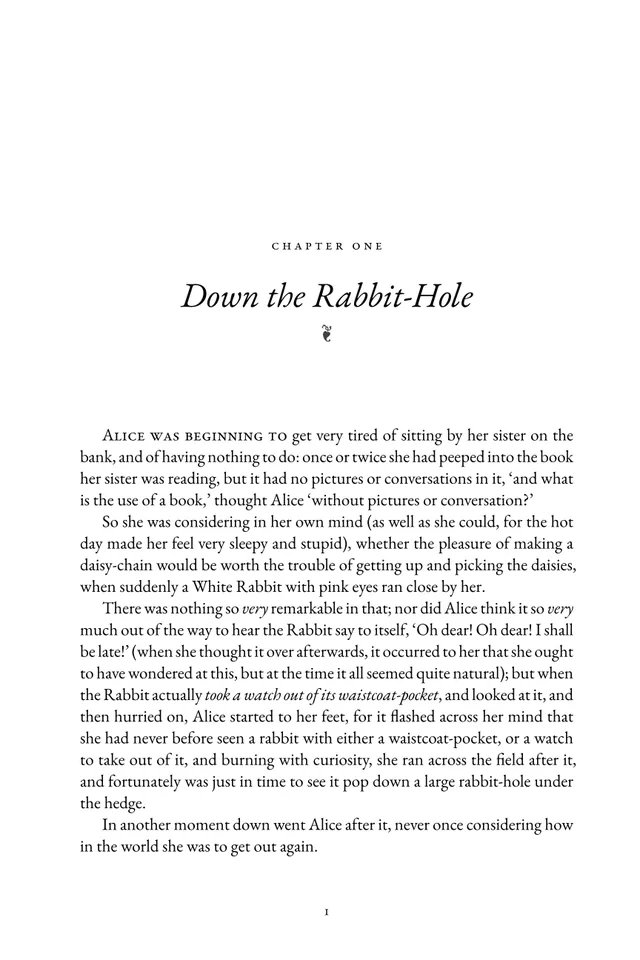
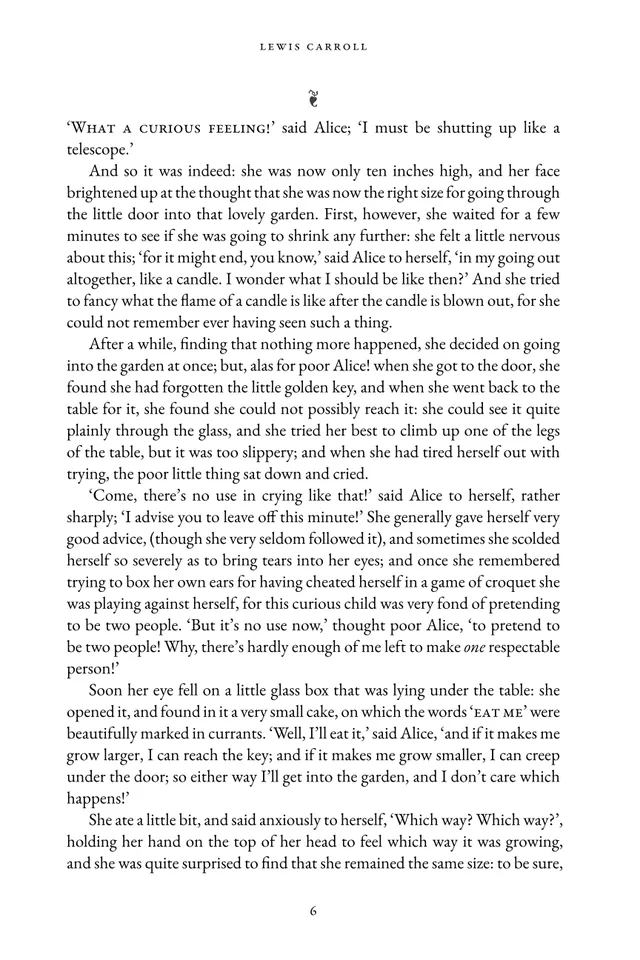
Line breaks and hyphenation
Most printed books set their text justified, flush to both margins. To make every line the same length, the space between words has to stretch or shrink. Without hyphenation, a long word that does not fit gets pushed to the next line and leaves the line above full of gaps. Good typesetting breaks lines with the whole paragraph in view and hyphenates where it helps, so the spacing stays even.
Widows and orphans
In the usual definitions, a widow is the last line of a paragraph left alone at the top of a page, and an orphan is a paragraph’s first line left alone at the bottom. Both make a page look accidental. Fixing them means moving a line between pages, which changes the pages after it, so it is far easier for software to do it as the book is laid out than for you to do it by hand at the end.
Running heads and page numbers
The line at the top of a page, usually the book title on one side of a spread and the chapter title on the other, is the running head. Readers expect it, and the page number, to leave chapter openings and blank pages alone.
Chapter openings and scene breaks
A chapter opening is the page that sets the tone of the book: how far down the text starts, how the chapter number and title are set, and whether the first words are in small caps. A scene break inside a chapter needs a mark (a space, a line or an ornament) that a reader cannot mistake for a page that simply ended.
The whole book
A printed book has an even number of pages, because each leaf has two sides, and its inside margin has to leave room for the binding. If you are making a paperback for Amazon KDP, the exact minimums are in how to format a book for KDP.
How Spinekeep typesets
Spinekeep is a Windows app for writing and typesetting books, being tested now and not available yet. It lays out pages with the Typst typesetting engine and shows you the spreads as they will print while you write.
- Text: hyphenation, and widow and orphan control.
- Pages: running heads, an even page count, and a gutter that widens with page count.
-
Design settings: chapter openings, chapter numbering, scene-break style, first-line
small caps and text size. Type
***for a scene break. - Seven designs: Classic, Modern, Elegant, Saga, Noir, Bloom and Clarity. For print, you can borrow another design’s chapter opening, chapter-title type or scene-break ornament.